In today's fast-paced digital world, the seamless flow of information and data between diverse applications and systems has become crucial for businesses seeking to remain competitive. Integration plays a pivotal role in this landscape, enabling organizations to connect disparate systems, automate processes, and enhance productivity. In this article, we will explore the fascinating domain of integration, shedding light on various types, benefits, approaches, and deployment options. Whether you are a technical guru or a non-technical enthusiast, this guide is designed to provide insights into the world of integration and how it can benefit your business.
Common Types of Integration
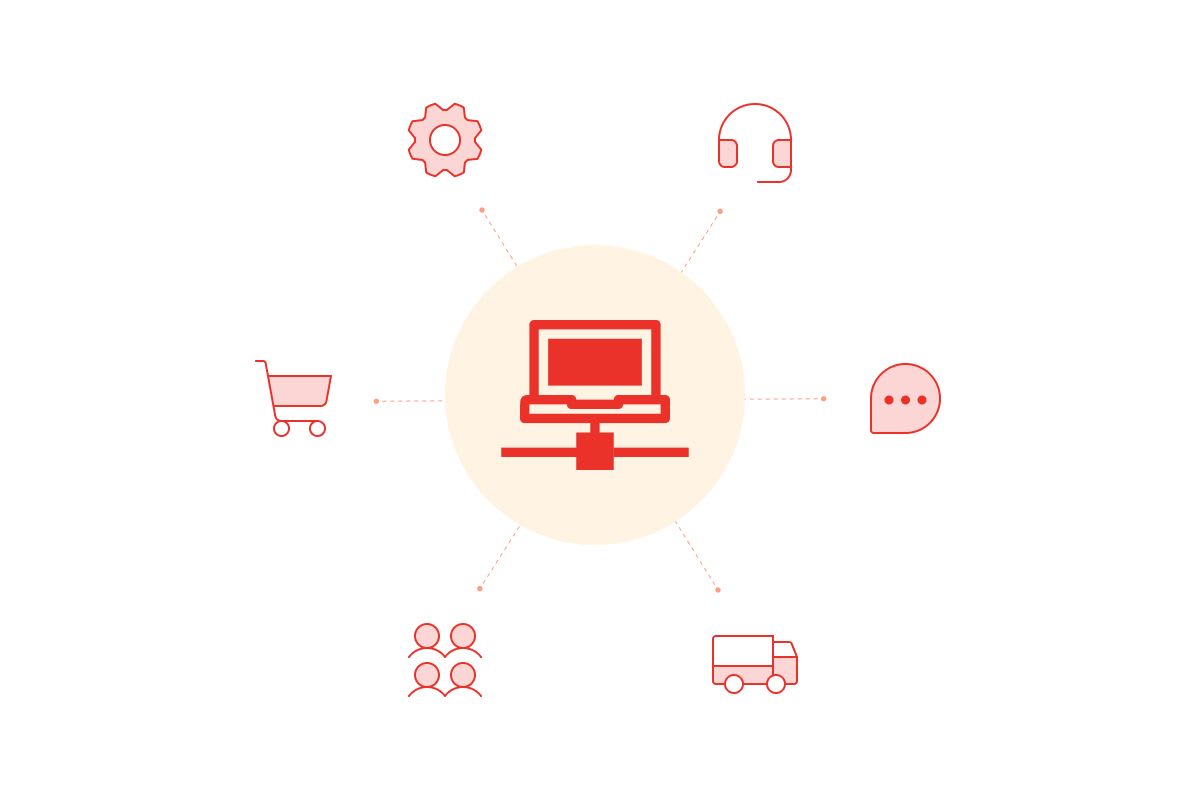
In the world of system integration, various approaches and connectors exist to establish seamless connections between disparate systems. Each method serves a unique purpose and offers specific advantages. Let's delve into the most common integration model types to gain a deeper understanding.
1. Legacy System Integration
Overview:
Legacy systems are the backbone of many organizations, housing valuable data and processes. Integrating these systems with modern applications is essential for maintaining operational efficiency. Legacy system integration involves connecting aging technology with newer, more agile solutions.
Goal:
The primary goal of legacy system integration is to extend the life and functionality of existing systems while enabling data exchange and workflow automation.
Examples:
- Integrating a COBOL-based mainframe system with a web-based CRM application.
- Linking an old database system to a cloud-based analytics platform.
2. Enterprise Application Integration (EAI)
Overview:
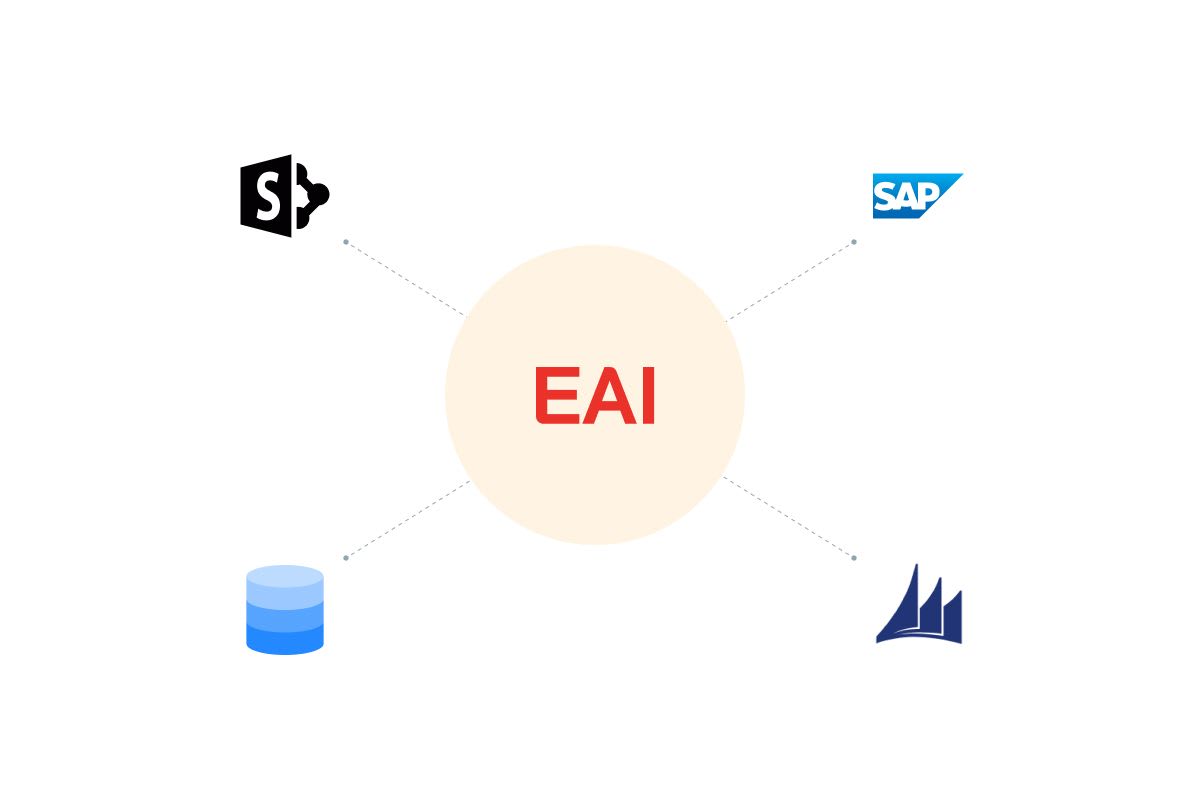
EAI focuses on seamlessly connecting various software applications within an organization. It ensures real-time data sharing and process automation across different departments and functions.
Goal:
EAI aims to break down data silos, streamline business processes, and provide a holistic view of enterprise data.
Examples:
- Integrating an ERP system with a CRM to enable real-time order and inventory updates.
- Connecting HR management software with financial applications for accurate payroll processing.
3. B2B Integration

Overview:
Business-to-Business (B2B) integration is the process of linking an organization's systems with those of its trading partners, suppliers, and customers. It facilitates the exchange of documents and data in a standardized, automated way.
Goal:
B2B integration streamlines collaboration, reduces manual data entry, and enhances the efficiency of supply chain and partner relationships.
Examples:
- Integrating an e-commerce platform with a logistics provider's system for seamless order and shipment processing.
- Connecting an invoicing system to a customer's accounting software for automatic billing and payment reconciliation.
4. Third-Party Integration

Overview:
Third-party integration involves connecting a company's applications with external, off-the-shelf solutions provided by third-party vendors. This allows businesses to extend their capabilities without the need for in-house development.
Goal:
The goal of third-party integration is to enhance functionality, improve user experiences, and leverage specialized services provided by external vendors.
Examples:
- Integrating a payment gateway into an online store to accept credit card payments.
- Embedding a social media sharing feature within a mobile app.
Benefits of System Integration
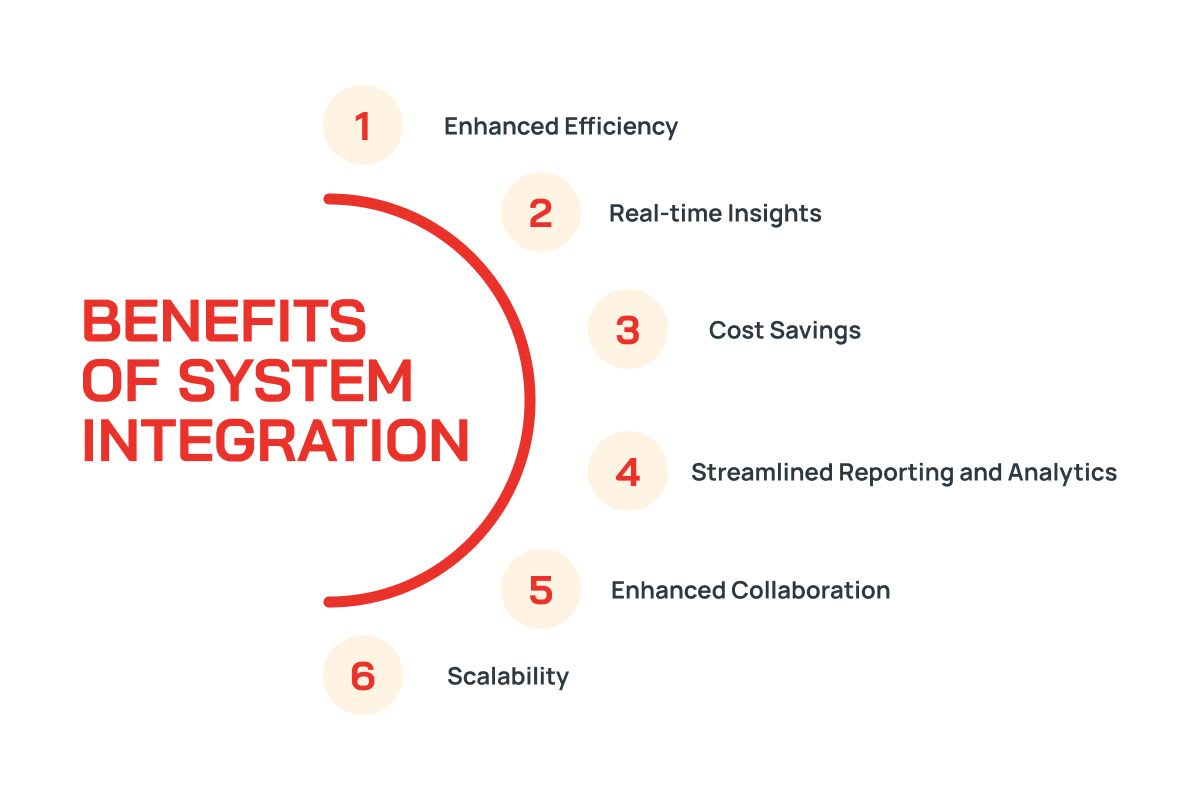
System integration offers a plethora of advantages to organizations across various industries. As technology advances, businesses are continually seeking ways to streamline their operations, enhance efficiency, and stay competitive. System integration plays a pivotal role in this pursuit, offering the following key benefits:
-
Enhanced Efficiency
At its core, system integration is about optimizing processes. By connecting various systems and applications, organizations can automate workflows and data transfers. This results in a significant reduction in manual data entry, minimizing the risk of errors and freeing up valuable employee time. With integrated systems, businesses can work more efficiently, allocate resources more effectively, and enhance overall productivity.
-
Real-time Insights
Access to real-time data is invaluable in today's fast-paced business environment. System integration allows organizations to break down data silos and ensures that the right information is available when needed. This enables quicker and more informed decision-making, as employees can access up-to-the-minute data on sales, inventory, customer preferences, and more. Real-time insights help businesses adapt rapidly to changing market conditions and customer needs.
-
Cost Savings
System integration may involve an initial investment, but it often leads to substantial cost savings in the long run. By automating manual processes, reducing errors, and optimizing resource allocation, businesses can significantly cut operational costs. Integrating systems also minimizes the need for duplicate data entry and redundant tasks, further improving cost efficiency.
-
Streamlined Reporting and Analytics
System integration simplifies reporting and analytics by providing a single source of truth for data. Integrated systems can feed data directly into reporting tools, eliminating the need for manual data collection and transformation. This streamlines the reporting process and allows for more in-depth and timely analysis, leading to better business insights.
-
Enhanced Collaboration
In an integrated environment, collaboration between teams and departments becomes more straightforward. Data and information can be easily shared across the organization, breaking down silos and fostering a culture of teamwork. Improved collaboration can lead to more innovative solutions and better problem-solving.
-
Scalability
As businesses grow, their IT needs evolve. System integration solutions can be designed with scalability in mind, allowing for the addition of new applications and systems as necessary. This flexibility ensures that integration investments continue to provide value over the long term.
How to Approach System Integration
When it comes to system integration, various approaches can be employed, each tailored to different integration needs. Understanding these approaches is essential for making informed decisions. Below, we'll explore some common approaches:
1. Point-to-Point Model
Overview:
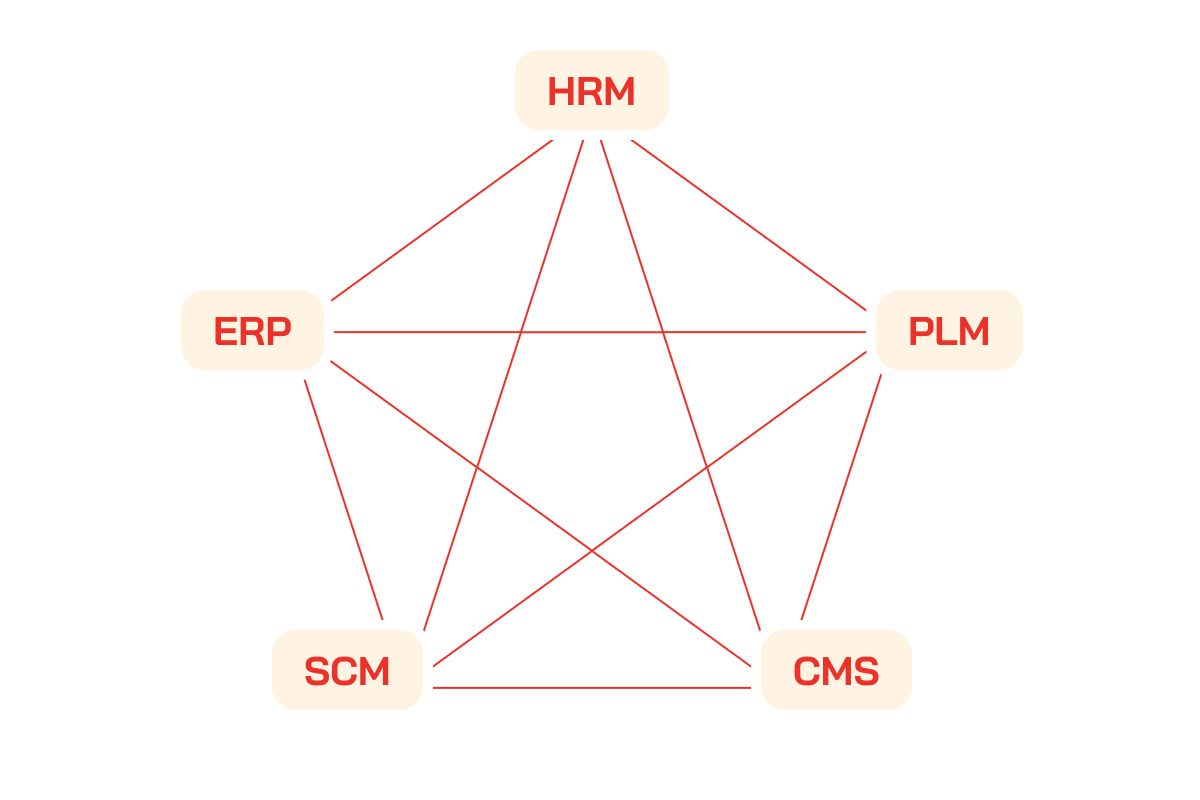
The point-to-point model involves creating direct connections between individual systems. It is a straightforward method of integration but can become complex as more systems are added.
Pros:
- Simplicity: Easy to understand and implement for smaller integrations.
- Low Initial Setup Costs: Requires minimal investment for initial setup.
- Direct Communication: Facilitates direct, fast communication between integrated systems.
- Fast Implementation: Typically has a shorter implementation timeline for smaller projects.
- Well-Defined Connections: Provides clear, well-defined connections between systems.
- Specific to the Project: Well-suited for short-term, project-specific integrations.
- Customization: Allows for highly customized connections between systems.
- Minimal Dependencies: Has fewer dependencies on additional infrastructure or middleware.
Cons:
- Complexity with Scale: Becomes increasingly complex and unmanageable with many connections, leading to a "spaghetti" architecture.
- High Maintenance: Changes in one system may affect others, leading to high ongoing maintenance.
- Lacks Scalability: Limited scalability for long-term, enterprise-level integrations.
- Limited Reusability: Integration components are less reusable, which can lead to duplication of effort.
- Data Consistency: Difficult to maintain data consistency and integrity as the number of connections grows.
- Reduced Visibility: Limited centralized visibility into integrated systems and their status.
- Inefficient Resource Use: Can lead to inefficient use of computing resources as the number of connections increases.
2. Enterprise Service Bus (ESB)
Overview:
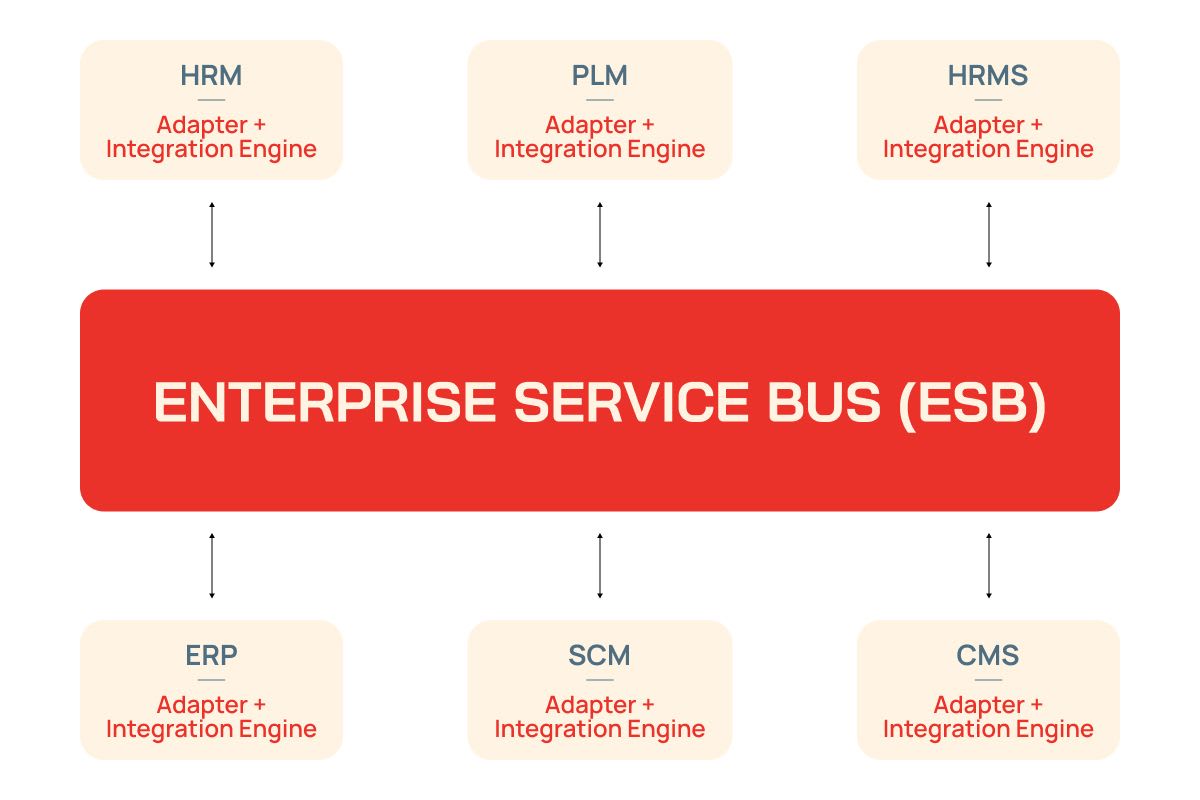
An ESB acts as a middleware that facilitates communication between systems using a central hub. It decouples systems, making it easier to add or modify integrations.
Pros:
- Scalability: Offers scalability and flexibility to accommodate numerous systems.
- Centralized Management: Centralized management and monitoring for all integrations.
- Enhanced Routing: Enhanced message routing and transformation capabilities.
- Support for Protocols: Built-in support for various messaging and communication protocols.
- Reduced Complexity: Reduces the need for point-to-point connections, reducing overall complexity.
- High Reusability: ESB components can be highly reusable across various integrations.
- Enhanced Data Consistency: Provides tools and mechanisms for maintaining data consistency and integrity.
- Robust Error Handling: Typically offers advanced error handling and fault tolerance features.
- Message Queues: Often supports message queues for asynchronous processing.
Cons:
- Higher Initial Costs: Higher initial setup costs due to the need for specialized ESB software and hardware.
- Single Point of Failure: Potential for a single point of failure if not properly designed and configured.
- Complex Configuration: Complex configurations and customizations may require significant expertise.
- Dedicated IT Team: May require a dedicated IT team for management and maintenance.
- Overkill for Small-Scale: ESB implementations can be overkill for small-scale integrations.
- Initial Learning Curve: Learning to configure and manage an ESB can take time and resources.
- Resource Intensive: ESB solutions can be resource-intensive, impacting hardware requirements.
- Cost of Software: Licensed ESB software can come with ongoing costs, including licensing fees.
Deployment Options
The choice of deployment model significantly impacts the efficiency and flexibility of system integration. Here are some deployment models to consider:
1. Integration Platform as a Service (iPaaS)
Overview:
iPaaS is a cloud-based platform that provides pre-built connectors and tools for integration. It is an ideal choice for organizations looking to leverage the cloud for their integration needs.
Pros:
- Rapid Deployment: Fast implementation and scalability.
- Reduced Maintenance: Minimal maintenance overhead.
- Scalability: Scales easily as integration needs grow.
- Cost-Efficiency: Typically cost-effective compared to on-premise solutions.
- Flexibility: Supports hybrid and multicloud deployment strategies.
- Self-Service: Allows non-technical users to participate in integration.
- Elastic Resources: Can automatically allocate resources as needed.
Cons:
- Limited Customization: Less customization compared to on-premises solutions.
- Data Security: Data security and compliance concerns may arise.
- Vendor Lock-In: Potential vendor lock-in with a specific iPaaS provider.
- Internet Dependency: Requires a stable internet connection for operation.
- Integration Complexity: Complex integrations may require custom development.
2. On-Premise
Overview:
On-premise integration involves hosting integration infrastructure within the organization's own data center. This option offers more control but requires significant maintenance.
Pros:
- Full Control: Complete control over hardware and software.
- Enhanced Security: Offers advanced security and compliance options.
- Customization: Highly customizable to specific business needs.
- Legacy Systems: Suitable for integrating with legacy systems.
- High Performance: Ensures high-performance integration.
- No Internet Dependency: Operates independently of internet connectivity.
Cons:
- Higher Upfront Costs: Requires a significant upfront investment in hardware and software.
- Maintenance Overhead: Requires dedicated IT staff for maintenance.
- Limited Scalability: Can be challenging to scale up for growing integration needs.
- Complexity: Implementations can be complex and time-consuming.
- Limited Flexibility: Less flexible for remote and distributed work environments.
- Hardware Dependency: Hardware maintenance and updates required.
- Resource Allocation: Resource allocation and management must be handled in-house.
3. Hybrid
Overview:
Hybrid integration combines on-premise and cloud-based solutions. It provides flexibility and can cater to a variety of integration scenarios.
Pros:
- Balanced Benefits: Balances the benefits of both cloud and on-premise solutions.
- Gradual Migration: Allows gradual migration to the cloud.
- Flexibility: Adaptable to a wide range of integration needs.
- Cost-Efficient: Offers cost savings while maintaining control.
- Scalability: Can scale both on-premise and cloud components.
- Hybrid Workforce: Supports remote and distributed work environments.
- High Availability: Ensures high availability with cloud components.
Cons:
- Complexity: Managing both on-premise and cloud environments can be complex.
- Data Synchronization: Requires robust strategies for data synchronization.
- Security Concerns: Requires careful consideration of data security and compliance.
- Integration Overheads: Requires integration management for both environments.
- Potential Vendor Lock-In: May involve vendor-specific dependencies.
- Resource Allocation: Resource allocation and management in both environments.
Steps to Implement System Integration
- Define Integration Goals and Scope: Clearly define your integration objectives and identify the systems, applications, and data sources that need integration.
- Choose Integration Approach and Tools: Select an integration approach (e.g., point-to-point, ESB, or hybrid) and choose the appropriate system integration tools and middleware.
- Develop Integration Workflows and Implement: Design integration workflows, configure integration tools, and facilitate data exchange. Thoroughly test integrations to identify and address issues.
- Monitor, Optimize, and Ensure Security: Continuously monitor integrations, optimize processes to meet evolving needs, and prioritize data security and compliance.
- Train and Document: Provide training for your team and maintain documentation of integration workflows, configurations, and changes to ensure efficient and reliable system integration.
By following these steps, you can successfully implement system integration, achieving your integration goals while maintaining the efficiency and reliability of your IT ecosystem.
Conclusion
INNOMIZE, as a leading outsourcing and offshoring company based in Vietnam, is your strategic partner for all your software development and integration needs. We specialize in custom software development, cloud development, offshore development center services, and application integration. Our expert team has extensive experience in achieving seamless system integration, from legacy systems to cutting-edge B2B interfaces. With a deep understanding of various integration approaches and deployment options, we can help your organization unlock its full potential, drive efficiency, and stay ahead in the ever-evolving digital landscape.
INNOMIZE is dedicated to assisting businesses, both technical and non-technical, in achieving their integration goals. Contact us today, and let us pave the way for your success in the world of system integration.