In the ever-evolving world of technology, organizations are faced with a continuous challenge: integrating various systems, applications, and data sources to ensure seamless operations. This is where integration platforms come to the rescue. Integration platforms provide a bridge between different components, allowing data to flow freely and processes to operate harmoniously. In this article, we'll explore some of the top popular integration platforms, each known for its unique features and capabilities.
1. Microsoft BizTalk
Microsoft BizTalk is a robust integration platform designed to streamline communication between diverse applications, systems, and services. It excels in its seamless integration with Microsoft products, ensuring compatibility and support for a wide range of Microsoft technologies. BizTalk is particularly renowned for its strong support for B2B integration, making it an ideal choice for businesses engaged in electronic data interchange (EDI) with partners. It boasts robust business process management capabilities, enabling the automation and optimization of business processes.

Pros:
- Seamless integration with Microsoft products, ensuring compatibility and support for a wide range of Microsoft technologies.
- Strong support for B2B integration, making it an ideal choice for businesses engaged in electronic data interchange (EDI) with partners.
- Robust business process management capabilities allow for the automation and optimization of business processes.
Cons:
- Licensing costs can be high, especially for organizations with extensive integration needs.
- Steeper learning curve for non-Microsoft environments, which may require additional training and expertise.
- Complex configurations and maintenance requirements in large-scale deployments.
2. ESB Toolkit
The Enterprise Service Bus (ESB) Toolkit complements Microsoft BizTalk by extending its integration capabilities. It promotes a service-oriented approach to integration and enhances scalability with its service-oriented architecture for large-scale integration projects. ESB Toolkit also provides strong support for message transformation and routing, enabling advanced integration scenarios.

Pros:
- Seamless integration with BizTalk, extending its capabilities and promoting a service-oriented approach to integration.
- Enhances scalability by providing a service-oriented architecture for large-scale integration projects.
- Strong support for message transformation and routing, enabling advanced integration scenarios.
Cons:
- Tightly integrated with the Microsoft ecosystem, making it less suitable for organizations with diverse technology stacks.
- May require additional licensing costs, especially if it's used in conjunction with Microsoft BizTalk.
- Complex deployment and configuration procedures for organizations without prior experience with Microsoft integration solutions.
3. WSO2
WSO2 is an open-source integration platform known for its cost-effectiveness and scalability. It's an attractive option for organizations seeking budget-friendly integration solutions, offering flexibility and adaptability for modern IT environments. WSO2 boasts comprehensive API management capabilities, facilitating the creation, publishing, and monitoring of APIs.

Pros:
- Open-source and cost-effective, making it an attractive option for organizations seeking budget-friendly integration solutions.
- Scalable and well-suited for cloud-native architectures, providing flexibility and adaptability for modern IT environments.
- Comprehensive API management capabilities, facilitating the creation, publishing, and monitoring of APIs.
Cons:
- May require a steeper learning curve for new users who are not familiar with open-source integration solutions.
- Limited out-of-the-box connectors and adapters, requiring additional development effort for specific integrations.
- Community support may be less extensive than commercial integration solutions.
4. Jitterbit
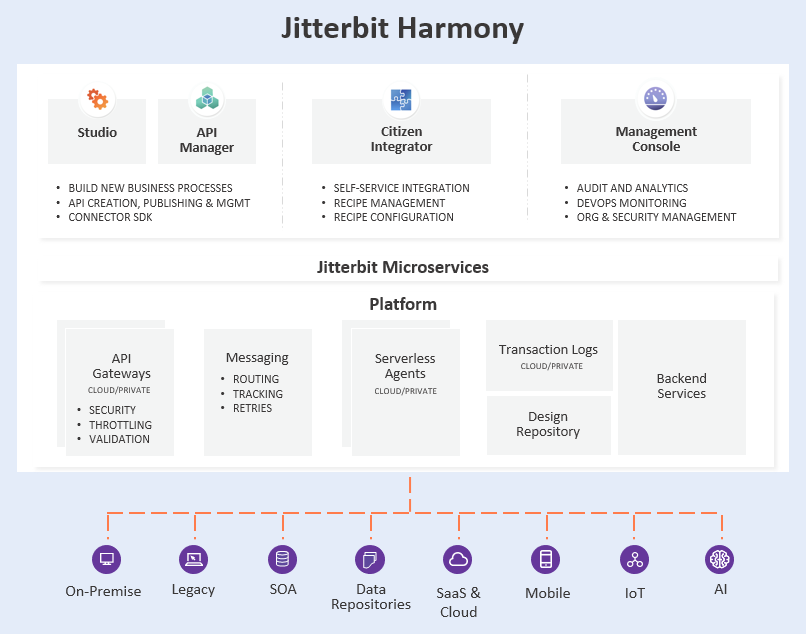
Jitterbit is a user-friendly integration platform designed to be accessible to integration professionals and citizen integrators alike. It offers an extensive library of pre-built connectors for common applications, accelerating integration development. Jitterbit excels in providing robust support for API integration, enabling real-time data exchange between systems.
Pros:
- User-friendly and easy to use, making it accessible for integration professionals and citizen integrators.
- Offers an extensive library of pre-built connectors for common applications, accelerating integration development.
- Provides robust support for API integration, enabling real-time data exchange between systems.
Cons:
- Limited support for complex B2B integrations, which may pose challenges for organizations with intricate partner ecosystems.
- Less advanced business process management capabilities compared to some other integration platforms.
- Potential limitations in handling large data volumes in certain use cases.
5. Boomi
Boomi is a cloud-native integration platform known for its ease of setup and use. It's ideal for organizations looking to quickly establish integration in a cloud environment. Boomi's low-code development features enable rapid integration by reducing the need for extensive coding. It also provides strong support for EDI integration, making it an excellent choice for businesses engaged in electronic data interchange.

Pros:
- Cloud-native and easy to set up, ideal for organizations looking to quickly establish integration in a cloud environment.
- Low-code development features enable rapid integration by reducing the need for extensive coding.
- Strong support for EDI integration, making it an excellent choice for businesses engaged in electronic data interchange.
Cons:
- Costs can add up with high data volumes, potentially leading to increased expenses as data transfer needs grow.
- Limited on-premises integration capabilities, which may not suit organizations with a mix of on-premises and cloud systems.
- Dependency on a single cloud provider for hosting and services may limit flexibility in certain scenarios.
6. MuleSoft
MuleSoft places a strong emphasis on API-led connectivity, promoting a design approach that simplifies integration and encourages reuse. It offers a comprehensive development environment with Anypoint Studio, providing a visual interface for integration design. MuleSoft also incorporates high-level security features to protect data and ensure the safe exchange of information.

Pros:
- Strong emphasis on API-led connectivity, promoting a design approach that simplifies integration and encourages reuse.
- Comprehensive development environment with Anypoint Studio, offering a visual interface for integration design.
- High-level security features to protect data and ensure the safe exchange of information.
Cons:
- Pricing can be on the higher side, making it less budget-friendly for smaller organizations with limited integration needs.
- Learning curve may be steep for users new to the MuleSoft ecosystem, necessitating training and onboarding.
- Licensing model can become complex for large-scale deployments, potentially leading to cost management challenges.
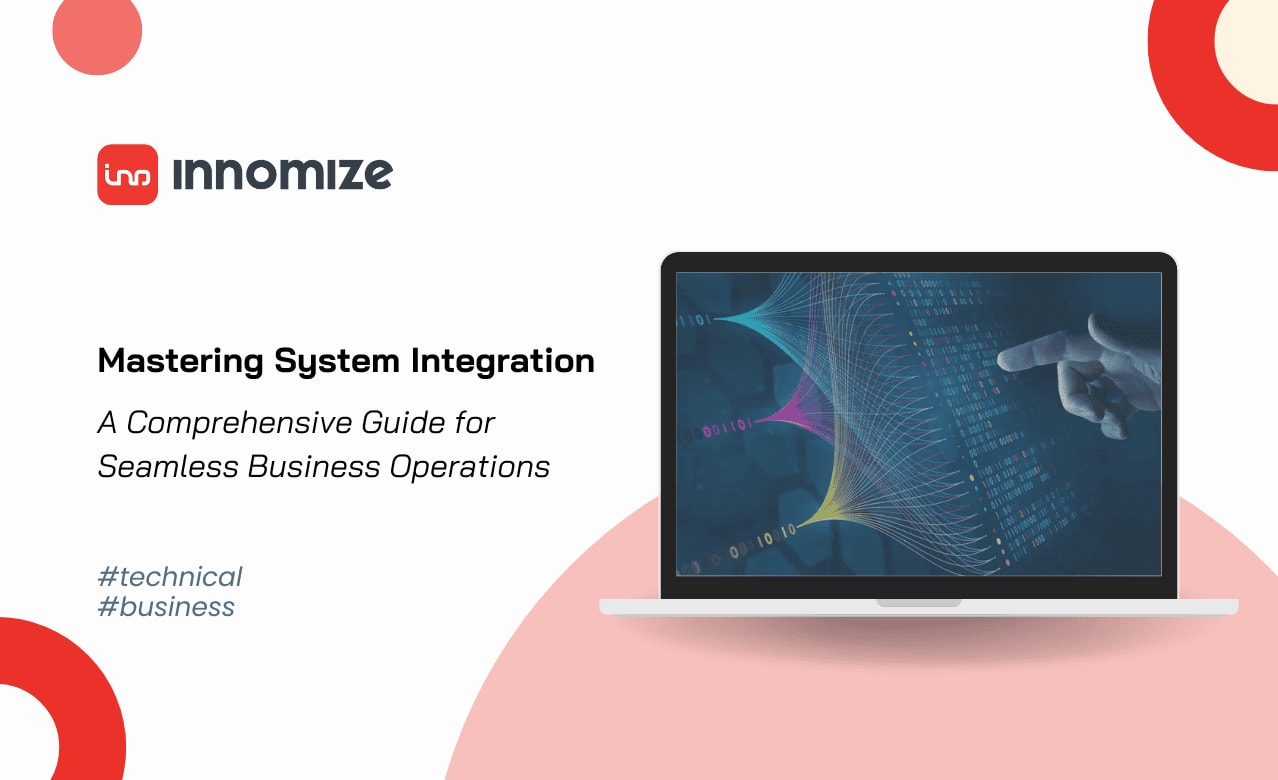
In the rapidly evolving landscape of technology and business, selecting the right integration platform is pivotal to achieving seamless connectivity and streamlined operations. Each of these integration platforms offers unique strengths that cater to specific needs and scenarios. To delve even deeper into the world of system integration, explore our comprehensive guide Mastering System Integration: A Comprehensive Guide for Seamless Business Operations. This guide provides invaluable insights into integration types, benefits, pros and cons, deployment options, and practical steps to implement system integration. With the right knowledge and tools at your disposal, you can empower your organization to thrive in the digital age.